
Microsoft SharePoint can provide organisations with a central platform for document management, collaboration, intranets and business information. However, a successful SharePoint implementation involves more than simply creating a new SharePoint site.
Organisations need to consider their requirements, existing content, information architecture, security, governance and user adoption before getting started. Here is a step-by-step guide to implementing SharePoint from a UK-based SharePoint Implementation Partner.
Define your SharePoint requirements
Start by establishing what you want SharePoint to achieve, every SharePoint is slightly different and tailored to your organisation. For example, you may want to:
- Create a company intranet
- Improve document management
- Replace shared network drives
- Create department sites
- Improve collaboration
- Make information easier to find
Clearly defining your objectives will help shape the rest of the implementation.
Review your existing content
Before moving information into SharePoint, review what you already have. Identify which documents need to be migrated, archived or deleted. This is also an opportunity to remove duplicate, outdated or unnecessary content rather than simply transferring it into a new platform. A structured content audit can help create a cleaner SharePoint environment from the beginning.
Plan your SharePoint architecture
Your SharePoint structure should reflect how your organisation works. This could include a central intranet with separate sites for departments, projects or business functions.
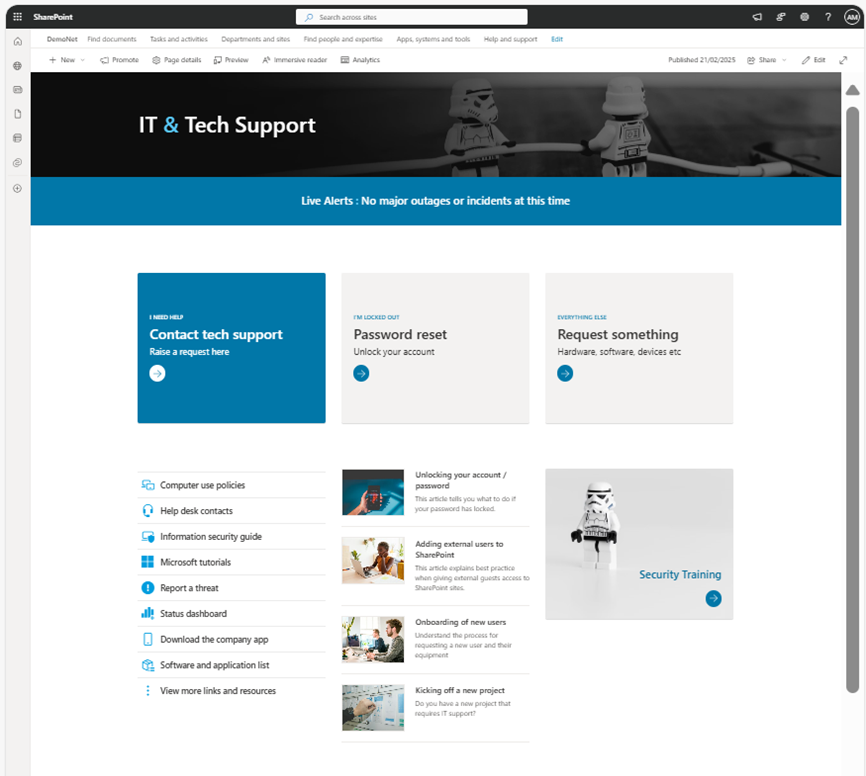
Consider how sites will be organised, how employees will navigate between them and where different types of content should be stored. Planning your information architecture carefully can make SharePoint easier to manage and use.
Configure security and permissions
SharePoint permissions determine who can access content and what they can do with it.
Define appropriate access levels for sites, libraries and documents, while avoiding unnecessarily complicated permission structures. SharePoint can also work alongside Microsoft Entra ID and Microsoft 365 security controls to help manage access. Security should be considered from the beginning rather than added after implementation.
Migrate your content
Once your SharePoint environment has been planned, you can begin migrating relevant content.
Migration requirements will depend on where your existing information is stored. This could include network drives, legacy SharePoint environments or other document management systems. A phased migration can help organisations identify and resolve issues before moving large volumes of content.
Test and pilot
Before rolling SharePoint out across the organisation, test the environment with a smaller group of users. A pilot can help identify issues with navigation, permissions, search and content before the wider launch. Gathering feedback from employees can also highlight areas where the experience could be improved.
Support user adoption
Even a well-designed SharePoint environment will only deliver value if employees use it effectively. Provide appropriate training, guidance and communications to help users understand how SharePoint fits into their day-to-day work. Clear ownership and ongoing support can also help maintain the platform over time.
Establish SharePoint governance
SharePoint should be managed as an ongoing business platform rather than a one-off IT project.
Establish governance covering areas such as site creation, permissions, content ownership, naming conventions, retention and lifecycle management. Regular reviews can help ensure the environment remains organised and secure as the organisation grows.
Implementing SharePoint successfully
A successful SharePoint implementation requires careful planning across technology, content, security and people.
Whether you’re implementing a new SharePoint intranet, migrating documents or developing a wider Microsoft 365 collaboration strategy, working with the right SharePoint implementation partner can help your organisation get more value from the platform.
As a Microsoft Solutions Partner, Bridgeall provides SharePoint consultancy, implementation and intranet design services, helping organisations plan, build and optimise SharePoint solutions. From initial requirements and architecture through to migration, governance and user adoption, we help ensure your SharePoint environment supports your business needs. Contact our team here for more information.