
Managing inventory across departments, sites or warehouses can quickly become complex, especially if you're relying on spreadsheets, emails or disconnected systems.
As a Microsoft Power Apps Partner, and through our Power Apps consultancy services, we often see organisations struggling with fragmented inventory processes that limit visibility and efficiency. With Microsoft Power Apps, organisations can build tailored inventory management solutions that fit their processes, integrate with existing systems, and scale as operations grow.
In this article, we'll explore what to consider when designing an inventory app and look at both simple and more advanced examples.
What is Power Apps?
Microsoft Power Apps is a low-code platform that enables organisations to rapidly create bespoke applications tailored to their unique requirements.
Within the manufacturing sector, it plays a key role in transforming manual processes into digital workflows, improving data accuracy, and streamlining day-to-day operations. From inventory management and compliance to workforce tracking, Power Apps supports greater efficiency across the factory floor, with its flexibility and seamless integration across the Microsoft ecosystem helping to drive continuous improvement and innovation.
Why Use Power Apps for Inventory Management?
Off-the-shelf inventory systems can be powerful, but they're often expensive, overly complex, or fail to reflect how your organisation actually operates in practice. Many organisations rely on ERP or MRP systems to manage inventory and production, but these platforms don't always support the day-to-day workflows teams need on the ground.
Power Apps offers a more flexible alternative by enabling you to build a solution around your existing workflows rather than forcing change to fit rigid software. It can also complement ERP or MRP systems by filling process gaps or simplifying data capture for operational teams.
It integrates seamlessly with Microsoft 365 and Microsoft Dynamics 365, allows you to control permissions by department, site, or role, and can connect to a wide range of data sources including SharePoint, SQL, Dataverse, or third-party systems. Whether you need a simple stock tracker or a scalable, multi-location inventory solution, Power Apps can grow with your business; the key is ensuring it's designed correctly from the start.
3 Examples of Inventory Management Power Apps
Simple Inventory App (Single Location)
This type of app is ideal for small teams managing IT equipment, marketing materials, or office supplies. Built using Power Apps and SharePoint, it provides a straightforward way to replace spreadsheets with a more structured system.
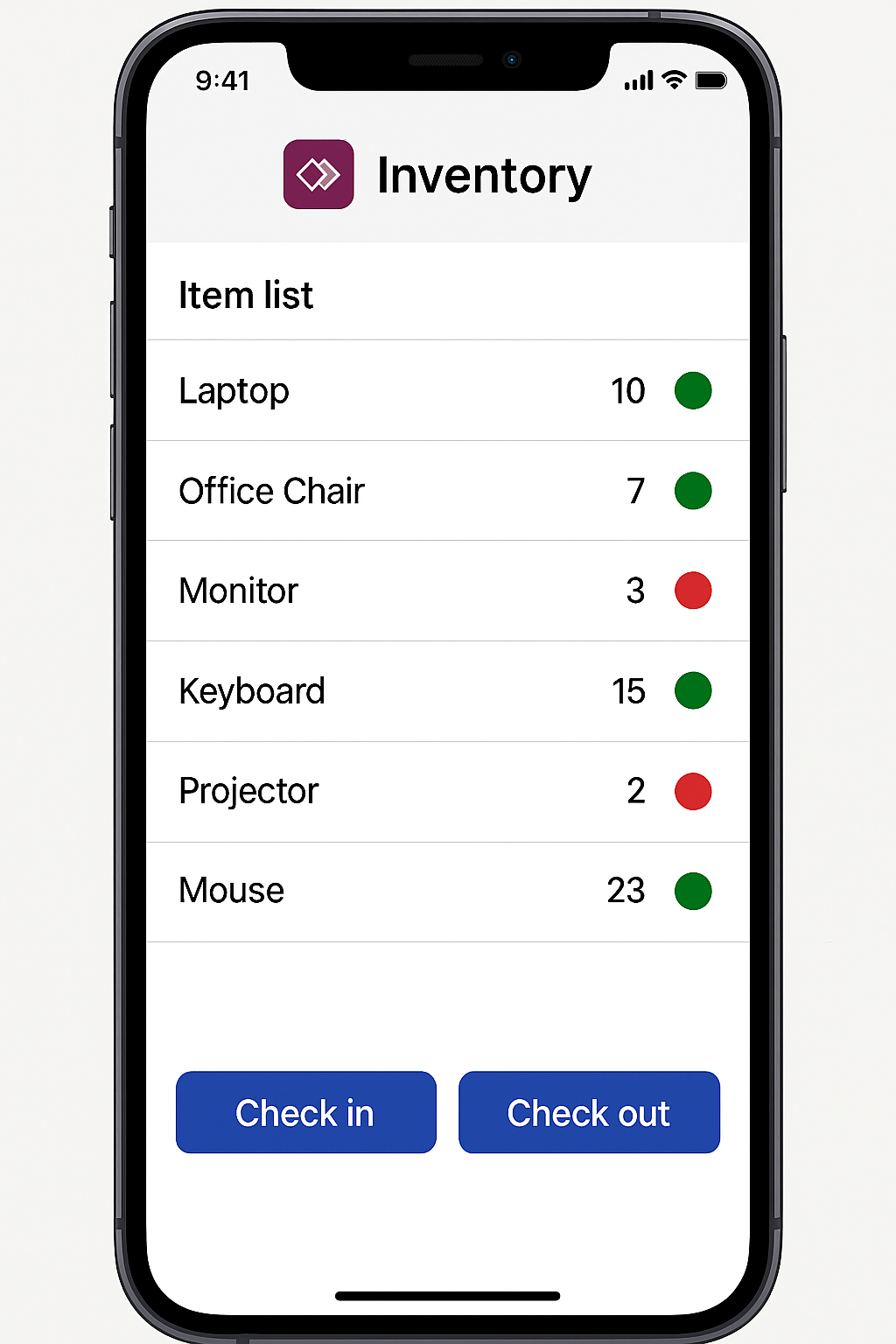
Features typically include an item list with available quantities, basic check-in and check-out functionality, low stock alerts, and a simple reporting dashboard. It's quick to implement and gives immediate visibility without overcomplicating processes.
Multi-Site Inventory Management App
Designed for organisations with multiple locations, this app provides a centralised view of stock across warehouses or sites. It can handle shared inventory, internal transfers, and approval workflows through Power Automate.
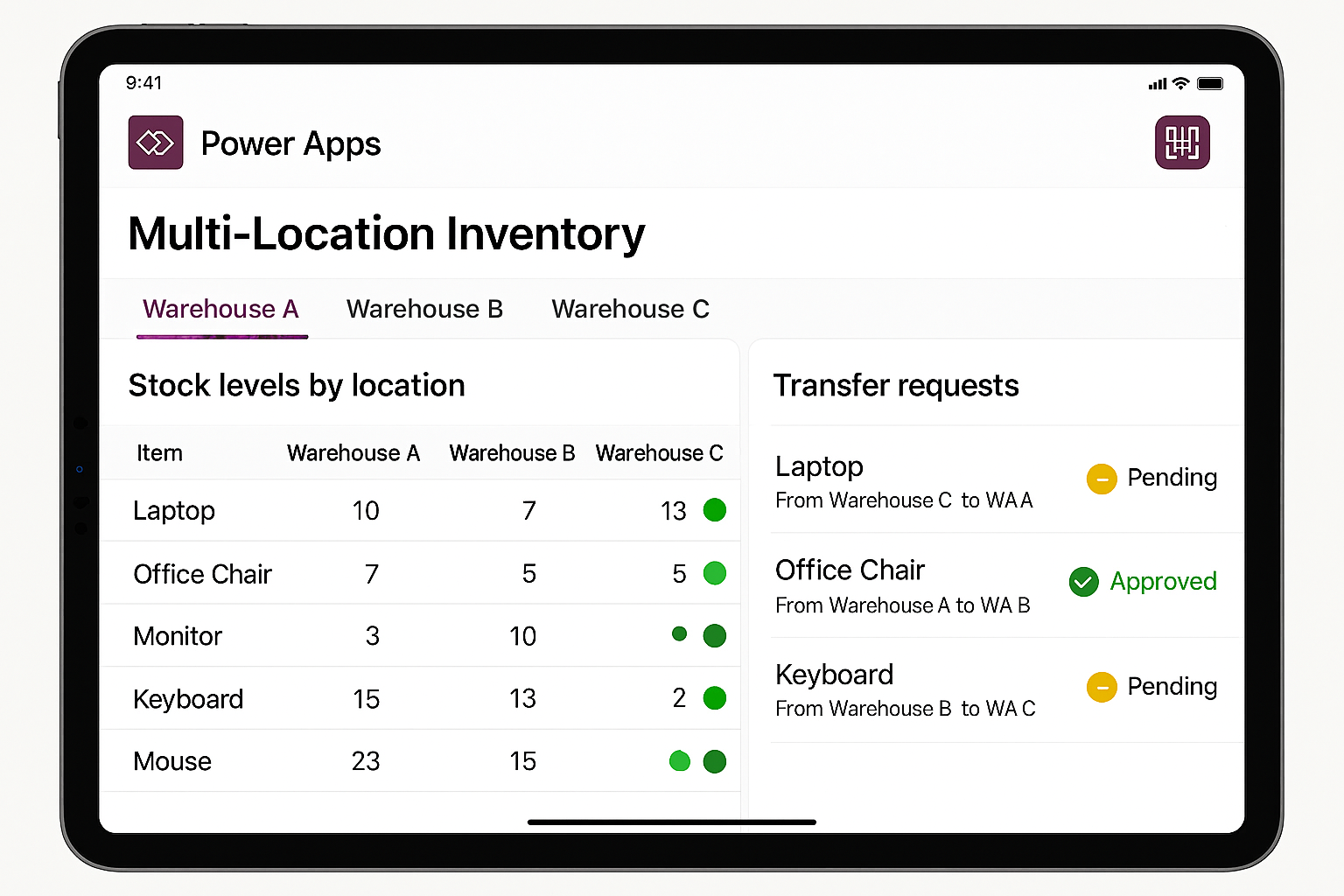
Key features include stock tracking by location, barcode scanning, transfer requests, audit trails of stock movements, and role-based permissions. This creates stronger control and accountability while remaining flexible and scalable.
Advanced Inventory & Asset Management App
For larger or regulated organisations, Power Apps can support a fully integrated inventory and asset management solution. This includes serialised asset tracking, ERP or finance system integration, automated reordering, mobile engineer stock allocation, and advanced reporting such as forecasting and usage trends.
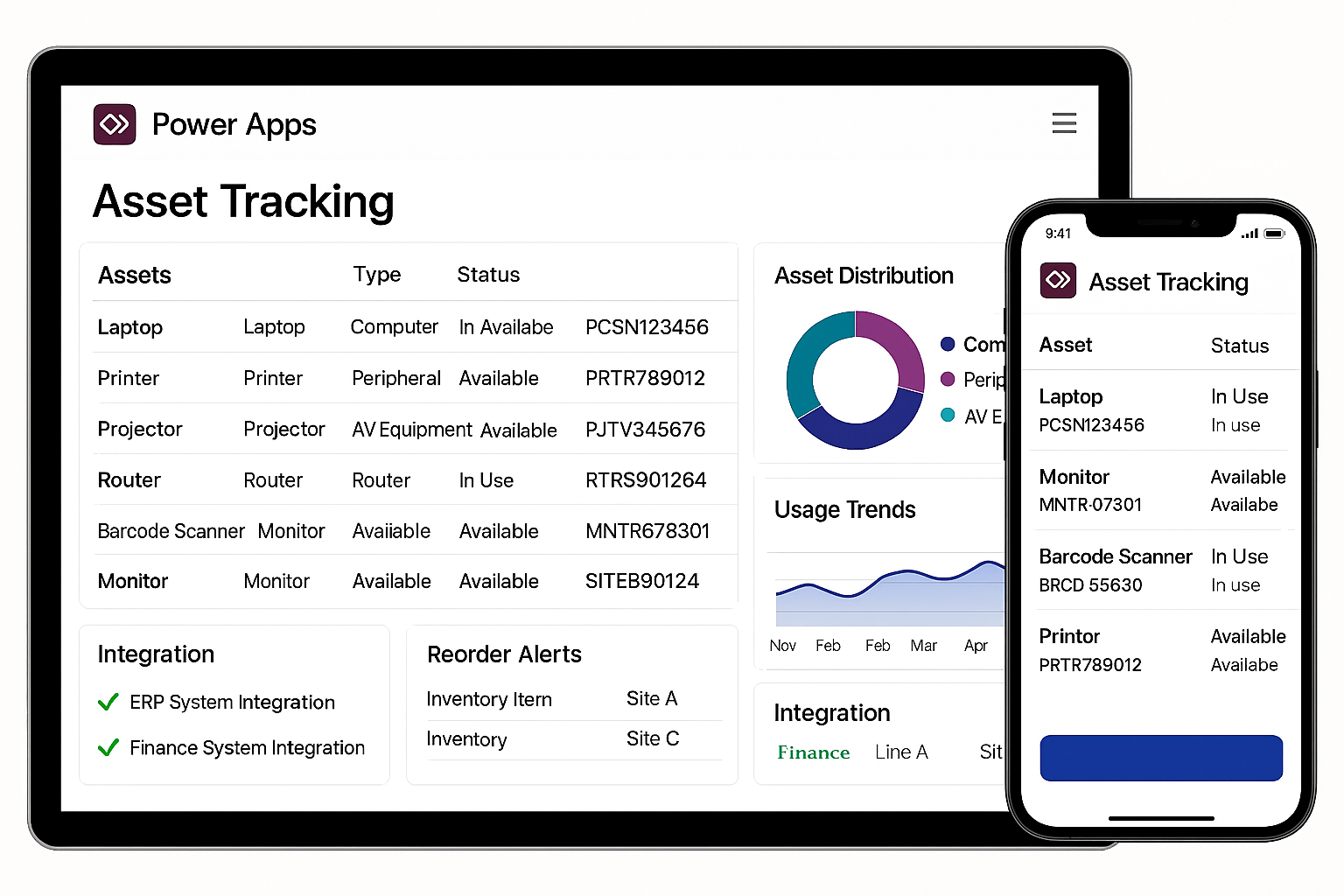
Power Apps acts as the front end, with Dataverse or SQL handling complex data, delivering both usability and depth.
Mistakes to Avoid When Designing Your Inventory Management Power App
When designing a Power Apps inventory solution, there are a few common pitfalls to avoid. It's easy to overcomplicate the first version, but trying to do too much too soon can slow adoption and make the app harder to use. Poorly structured data models can also cause issues down the line, especially when you want to scale or add new features.
A lack of clear ownership over stock data often leads to inconsistencies, while ignoring mobile usability can limit how practical the app is for day-to-day operations. Finally, not planning for scale can mean the solution quickly becomes restrictive as your organisation grows.
Start simple but make sure it's built on solid foundations with future growth in mind.